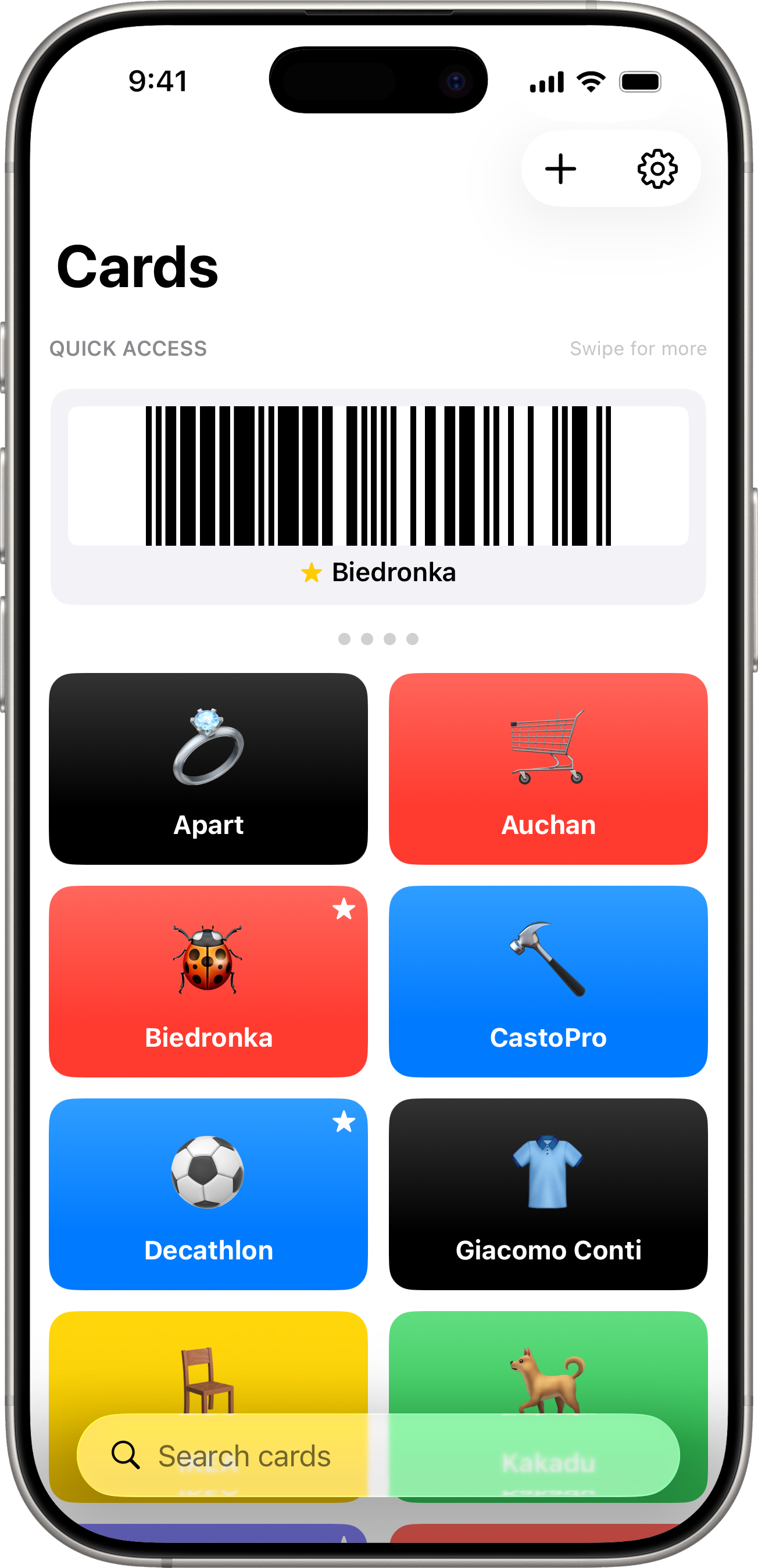
Scandio is a loyalty-card manager for iPhone. Add a card by scanning its barcode, give it a name and a colour, and the next time you’re at the checkout you pull it up in two taps and let the cashier scan it off the screen.
The app is built around the idea that this kind of data has no business leaving your phone. There is no account, no sign-in, and no cloud. Everything you add stays in the app’s private container on your device.
Boosts screen brightness automatically when a barcode is on screen so it scans cleanly even on cheap supermarket scanners.
Suggests a category icon from the store name on devices that support Apple Intelligence — the suggestion runs on Apple’s on-device language model and never leaves the phone.
Sorts and filters cards, marks favourites, and surfaces the ones you use most in a Quick Access carousel.
Exports and imports a .scandiobackup file so you can move cards between devices or keep your own copy.
The user manual walks through adding cards, scanning barcodes, the Quick Access carousel, search and sort, backup/restore, and every Settings option, with annotated screenshots for each step.
Scandio collects nothing, transmits nothing, and contains no analytics, advertising identifiers, or third-party SDKs. The full privacy policy covers what the app stores locally, how camera and photo-library access is used, and how the optional Apple Intelligence category suggestion works.
Scandio is open source. The full source — SwiftUI views, SwiftData model, barcode renderers, backup format — lives at github.com/andrzejsiemion/scandio-ios.
Scandio Privacy Policy
Last updated: May 9, 2026
Overview Scandio prioritizes privacy by keeping all user-entered data exclusively on devices. The developer never transmits information to external servers.
Data We Collect Data you provide The application stores locally:
Loyalty card information (name, card number, barcode type, tile color, favorite status) Optional store logo images you attach to cards Optional category icon you pick or that Apple Intelligence suggests Card metadata (creation date, last-used date, sort order) App preferences (sort order, theme, language, brightness boost level, duplicate-import policy) Data remains on your device unless you explicitly export and share backup files yourself.
...
Scandio — User Manual
Scandio keeps all your loyalty cards in one place on your iPhone. Open the app at the till, hold up the barcode, and you’re done. Everything stays on your device — no account, no sync, no servers.
Guides Getting Started — Requirements, first launch, the empty home screen Adding Cards — Manual entry, scanning, and store logos Categories — Built-in icons and on-device Apple Intelligence suggestions Showing Your Barcode — The full-screen view at the till Quick Access — Favourite cards in a swipeable carousel Search & Sort — Finding cards and changing the grid order Editing Cards — Context menu, edit, delete Backup & Restore — Export, import, and duplicate handling Settings — Sort, brightness, theme, language, backup, about Appearance & Language — Light/Dark/System and English/Polish Tips & Troubleshooting — Cashier rejections, switching iPhones, duplicates Requirements iPhone running iOS 17 or later Camera permission (only when scanning a barcode while adding a card) Photo Library permission (optional, only if attaching a custom logo) Privacy Scandio doesn’t collect, transmit, or share anything. The full privacy policy covers what’s stored locally and how the optional Apple Intelligence category suggestion works.
...